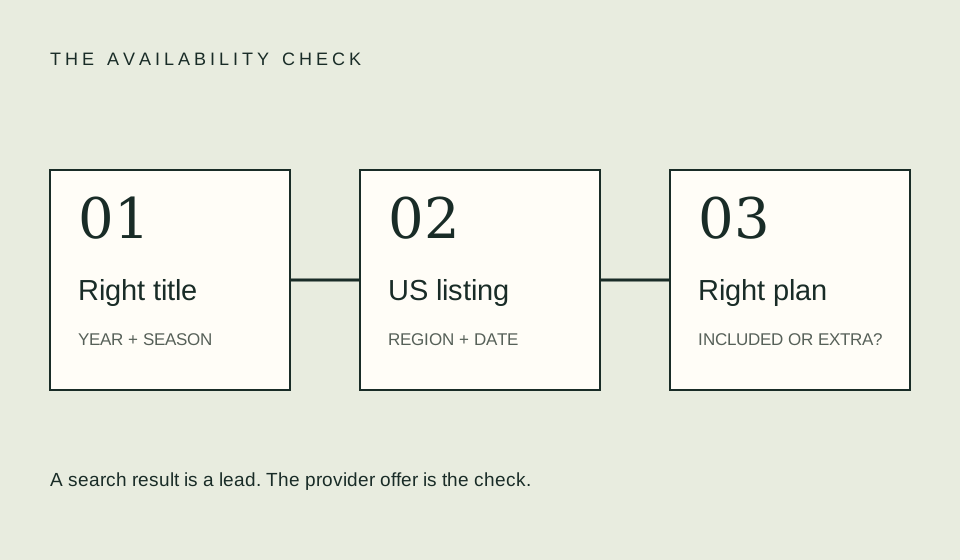
Before subscribing for a single show, confirm that the exact season is included in the specific plan you are selecting. Then check the account, devices, required accessibility features, and full checkout amount. A provider name and a plan name are not enough to establish that the viewing route meets your needs.
Write a minimum viewing requirement
Start with the title and season, then identify what would make the plan unusable for you. That might be a missing language track, a device you cannot use, or a viewing arrangement that does not fit the plan’s account rules. Keep required conditions separate from nice-to-have features so the comparison stays focused.
Do not create an elaborate score for features you will never use. If you only need to watch one season on one television, a long catalog or a premium format may be irrelevant. The key question is whether the plan you can actually purchase supports the experience you intend to have. Check rather than infer from marketing tiers.
Verify the included title, not just the service
Open the title page and season picker while following the plan’s official sign-up route. Look for exclusions, an extra transaction, or a channel offer. If the service does not reveal enough information before signup, ask its official support team about the exact title and plan instead of treating a third-party list as a guarantee.
Keep the distinction between a service carrying a title and a plan including it. Netflix’s missing-title guidance, for example, identifies profile and region-related reasons a title might not appear. Such conditions remind you to inspect the account context; they do not diagnose every absent show or establish another service’s rules.
Check the intended device path
Use the official supported-device information for the plan and country. Record the model and app version where practical. “It works on smart TVs” is too broad to establish compatibility with a particular older television. You do not need to buy new hardware merely because a generic search result suggests doing so.
Where a service offers a supported browser or an alternative device route, compare the convenience and any additional costs. A lower subscription quote can become an expensive choice if the only usable route requires equipment you did not plan to purchase. This is a decision factor, not a claim that a specific provider requires new hardware.
Read the final amount and renewal terms
Compare the actual checkout, including the billing interval, any introductory period, add-ons, and taxes shown. Write the recurring amount beside the introductory amount when both appear. Avoid converting an annual commitment into a monthly equivalent without also recording the upfront charge and cancellation conditions.
An illustrative annual offer of $120 is equivalent to $10 per month arithmetically, but the checkout may still require the whole $120. An illustrative $12 monthly option costs $24 over two cycles, assuming no other charges. Which is more useful depends on the period you need and the actual terms. Neither amount represents a real current offer.
| Requirement | What to check |
|---|---|
| Exact show | Title, year, season, episode |
| Actual plan | Included offer, exclusions, add-ons |
| Screen | Supported model and app route |
| Essential features | Language, captions, audio description |
| Payment | Billing interval and full quote |
| Exit | Renewal management and access-end terms |
Rehearse a high-stakes viewing
If a particular premiere or family evening matters, check the device and account before that time. Open a title you are already entitled to watch and inspect playback settings. This does not prove an upcoming show will appear, but it can expose a sign-in or device problem while there is still time to investigate.
For accessibility needs, check the exact episode when available. A badge on a series page is a useful lead, but do not promise every season or version has the same track. Record what was verified and what remains unknown. If a requirement cannot be confirmed, retain that uncertainty in your decision rather than silently marking it satisfied.
Make the purchase decision explicit
Choose the plan only after your nonnegotiable conditions are met. If two plans remain suitable, compare the total cost over the intended period, the viewing experience, and the effort of managing renewal. Use the budget planner for arithmetic and the comparison page for differences between access types.
Save a confirmation after signup and check that the account shows the intended plan. If the title then fails to appear, troubleshoot the account context before purchasing it separately. Paying twice is not a reliable fix for an unresolved sign-in, region, or plan question. Begin with official support and explain precisely what the offer led you to expect.
FAQ
Is the cheapest plan always the best choice?
Only if it meets the actual requirements. Compare inclusion and usability before the price difference.
Can I assume a title is included because the service advertises it?
Verify the exact plan and season. An advertisement may not answer every entitlement or account condition relevant to your viewing.
Should a lower monthly equivalent decide an annual plan?
No. Consider the total upfront commitment and how long you need access. A monthly equivalent is arithmetic, not the amount charged at signup.
Related guides
Sources
- Paramount+ supported-device help — official device guidance and plan/country caveat.
- Netflix missing-title help — account-context reasons to investigate, not a universal diagnosis.