To find where a movie or show is streaming in the US, identify the exact title first, use search results only to locate potential providers, and confirm the playable offer on the provider’s own site. Check the season and account plan before subscribing. A poster in an app is not enough evidence that the episode you want is included.
Start with a title identity card
Write down the title, release year, whether it is a film or series, and the season you need. Add a cast member or creator if the name is common. For international dramas, retain the original-language title and the English title used by the US distributor. These details prevent a search for a remake from quietly becoming a result for an older film.
Do not begin by comparing provider prices. A cheap subscription that lacks your season is the wrong purchase. First establish the viewing entitlement; then compare ways to obtain it. If you only remember a scene, resolve the title identity before relying on any availability information attached to a guess.
Build a short candidate list
Use the official-provider directory to open a service you already suspect carries the title. A general web search can identify additional candidates, but its preview text may reflect a different time or country. Open the actual destination and check whether it is the provider, a retailer, a news article, or an independent directory.
A useful search phrase combines the exact title, year, season, and “US.” Avoid opening many indistinguishable tabs. Keep a short record of which official destinations you checked and what each actually offered. “No matching season shown” is a more useful note than “not streaming,” because it preserves the scope of your check.
Read the offer at episode level
Open the series page and choose the season explicitly. Expand the episode list if necessary. A series landing page may answer where the brand or franchise appears without answering where a particular episode can be played. Look for a playback action rather than a trailer, reminder, or preview.
Read the surrounding terms. A subscription, channel add-on, individual rental, or purchase can all be presented inside a viewing app. If the button asks you to subscribe to another channel or pay for an episode, you have found an additional transaction, not proof your existing plan covers it. Do not authorize payment just to discover the final offer.
| Check | Useful evidence | Insufficient by itself |
|---|---|---|
| Identity | Matching year and series details | A similar poster |
| Season | Correct season and episode list | The series name alone |
| Region | US offer in your account | An overseas article |
| Entitlement | Clear included-playback action | Presence in app search |
| Cost | Current checkout and billing terms | A remembered promotion |
Compare only confirmed options
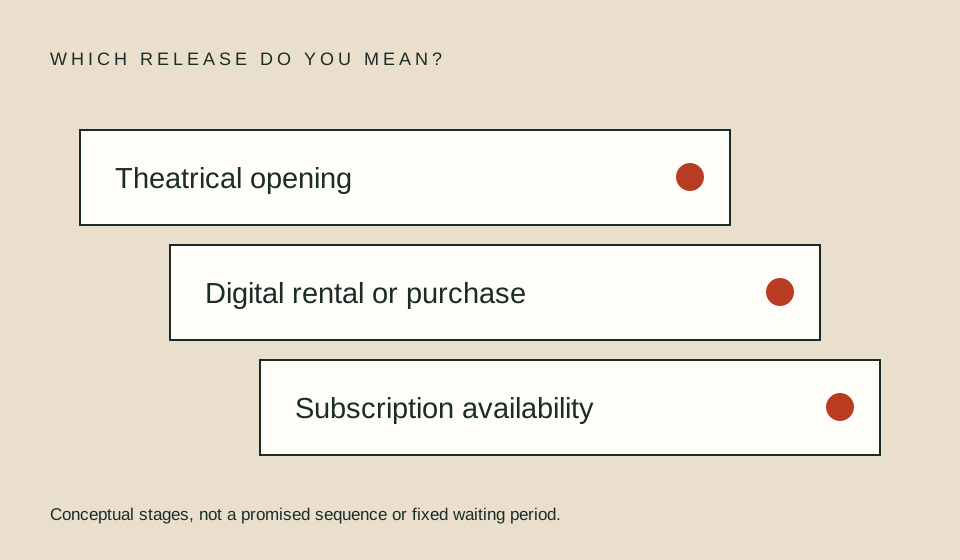
If more than one route remains, compare the same edition, language track, quality requirement, and viewing period. A rental for one film and a subscription for a whole month are different products. Neither is automatically better. Read rent, buy, or subscribe for a decision framework and plan eligibility for the account checks.
An illustrative choice might involve a $6 rental and a $15 monthly subscription. If you want one film and both offers genuinely cover that film, the rental is $9 less before any other charges. If the subscription does not include it, the comparison is invalid. These amounts are examples, not provider prices or a recommendation to purchase either option.
Keep a small verification record
Before paying, save the title URL, relevant season, quoted offer, billing route, and your own check date. Avoid capturing account numbers or payment details in screenshots you may share. A dated note helps distinguish an offer that changed from one that was never checked.
For a group viewing, repeat the entitlement check on the actual device and account that will be used. A result in a signed-out browser is not a complete rehearsal. If captions, audio description, or a specific language are essential, confirm them for the exact episode rather than assuming they follow the series as a whole.
When the search does not resolve
An honest unresolved result is better than a guessed provider. State that you could not confirm a current US offer and decide whether to wait, search another legal access type, or ask the provider. Do not interpret a missing result as proof that the title has never been available anywhere.
Netflix’s own missing-title help lists several possible explanations, including regional rights and profile settings. That is a reason to investigate the specific account and title, not a universal diagnosis for every service. See missing-title troubleshooting when the expected result fails to appear.
FAQ
Can a search engine answer where to watch?
It can provide leads. The provider’s current title and offer pages are the better place to confirm the actual entitlement you are considering.
Does a trailer mean the full title is available?
No. Treat trailers, reminders, and full playback as different actions. Confirm that the intended film or episode has an actual viewing option.
Should I subscribe before checking the season?
Avoid making that commitment just to test an assumption. Verify the season and required plan as far as the provider permits, then read checkout before authorizing payment.
More in this lane
- Rent, buy, or subscribe
- Recognize an add-on offer
- Check plan eligibility
- Find a specific season
- Check free legal options
- Resolve title and edition confusion
Sources
- Netflix Help Center: missing titles — provider-specific reasons a title might not appear.
- Prime Video rental and purchase help — distinguishing additional title transactions from other viewing access.