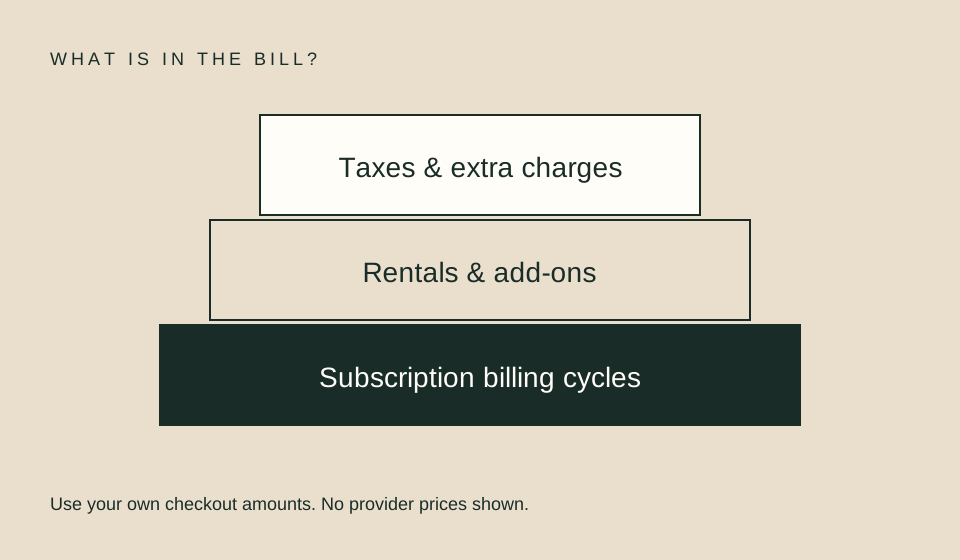
A subscription rotation is a personal billing plan: identify which service includes the titles you want, when you need each one, and how its billing cycle works. It is not a promise that a catalog will stay unchanged or that you can finish every show before a date. Verify the exact US title pages and checkout terms before changing a plan.
Start with a short, confirmed watchlist
List only titles you realistically expect to watch during the next cycle. For a series, include the season and episodes you need. For a film, record the edition and any required audio or caption track. Open each title in the provider’s own US site while signed in, then note whether it is included, separately rented, purchased, or tied to an add-on.
A poster or search result does not prove the title is included in your base plan. Prime Video, for example, describes included subscription content separately from purchases, rentals, add-on subscriptions, and pay-per-view. The exact product page and account offer still control. Mark an unresolved result as unknown rather than treating it as included.
| Watchlist field | Record |
|---|---|
| Title and edition | Exact name, year, season, or cut |
| Intended viewing period | The cycle in which you hope to watch |
| Current offer | Included, add-on, rental, purchase, or unclear |
| Account and region | The plan and US profile you will use |
| Check date | When you confirmed the offer |
| Must-have features | Captions, audio, device, or offline need |
Map billing dates and cancellation terms
Find the current plan price, next billing date, renewal behavior, and cancellation instructions in the account page. Record what happens to access after cancellation and whether the subscription was purchased directly or through another billing partner. Do not infer a cancellation deadline from a generic monthly label; a trial, annual plan, bundle, or partner purchase can have different terms.
For a simple illustrative example, suppose a viewer pays $12 for one month and $9 for another service in a later month. Two sequential cycles total $21 before taxes or other charges. That arithmetic is not a provider price or a recommendation. Use the price and dates shown in your own account, and include any base plan required for an add-on.
A rotation is less useful when it creates a commitment you forget to review. If you set a reminder, choose a date before the actual renewal and verify the account’s cancellation steps at that time. A calendar reminder does not cancel a plan automatically. Keep the confirmation from any account change and check the next statement to make sure it matches what you intended.
Match the plan to release timing
A season may arrive all at once, weekly, or in separate parts. A subscription month that covers the first half may not cover the second. Do not estimate a finale from the episode count unless the provider has published the complete schedule. Keep announced dates separate from your personal guess, and check again near the time you plan to watch.
For a weekly series, compare the announced dates with your billing period and the available episodes. If the final episodes land after renewal, choose whether to wait, use another authorized option, or pay another cycle only after confirming the terms. Weekly release tracking helps preserve gaps and schedule changes instead of filling them with assumptions.
Include add-ons and bundles in the real cost
A channel or premium add-on can be billed through a base service, directly by the channel, or through another account route. Identify who bills you and whether a base subscription is required. A bundle may include multiple services but still omit the specific title, season, or feature you want. Compare the checkout amount across the same viewing period and entitlement.
If you already pay for a service through a device maker or app store, do not start a second subscription from a provider page without checking existing account entitlements. Look for the account email, billing owner, and renewal date. When account pages disagree, contact the billing entity before authorizing another purchase.
Avoid making viewing time the optimization target
Cost per title or episode can be a useful description of what a plan costs, but it should not pressure you to watch more than you want. A service that saves money on paper may not suit your schedule, accessibility needs, or device setup. Canceling and rejoining also takes attention and can change access or discounts according to terms you should verify.
Choose a plan because it covers the titles and time period you actually need. If a title is available through a one-time rental and you want only one movie, compare that offer with any subscription you would need to start. If the same title is already covered by an existing entitlement, avoid paying twice. The rent-versus-subscribe guide walks through that comparison.
Review the plan at a useful checkpoint
Set a private review date near the end of the period you expect to use. At that point, recheck the watchlist and the next billing date. Remove services you no longer need only through their official account controls. Retain receipts, cancellation confirmations, and renewal notices. Do not send sensitive account information to an unverified third-party tracker.
| Checkpoint | Question |
|---|---|
| Before subscribing | Does the signed-in offer include the exact titles? |
| Before renewal | Will you still use the plan next cycle? |
| After cancellation | Did the account confirm the change and effective date? |
| Before adding a channel | Is a base plan required, and who bills it? |
| After a catalog change | Is there another lawful route worth comparing? |
An annual plan can reduce the displayed monthly equivalent while increasing the cash commitment and renewal risk. Compare the full term with your genuine expected use, not the discount percentage alone. If a service offers a trial, record its end date and the exact conversion terms shown before enrollment. This article does not determine your cancellation rights or promise that a promotion remains available.
FAQ
Is rotating subscriptions always cheaper?
No. Compare your actual billing dates, titles, add-ons, and time needed. A second cycle may still be necessary for a weekly schedule.
Will canceling remove access immediately?
That depends on the plan and billing arrangement. Read the current account terms before changing it.
Can a catalog search tool confirm my account entitlement?
A directory can offer leads. Your signed-in provider page and checkout are the places to verify the current offer.
Related guides
Sources
- Prime Video: What can I watch? — distinguishes included titles from add-ons and separate transactions.
- Prime Video Terms of Use — explains geographic variation and limited digital-content access terms.